Check your logo file before you send it
FREE LOGO FILE CHECKER
Will this file print clearly?
Choose the format, then check the information that matters at the size you want to print. Your artwork never leaves your device because this tool does not ask you to upload it.
At this size, your file provides 300 pixels per inch.
PNG note: A large PNG is a strong raster option, especially when it has a transparent background.
This is a planning check, not a production approval. Fine lines, small text, gradients, embedded images, and the chosen print method still need a designer's review.
Short answer: Send an original vector file—AI, EPS, or SVG—when you have one. A PDF may also be vector. If your logo is a PNG, JPG, WebP, or pixel-based PSD, the important number is its effective resolution at the final print size, not the DPI label stored in the file.
Use the checker above for a quick assessment. A designer should still review fine lines, small text, gradients, colors, and any embedded images before production.
The one calculation that tells you if a pixel file is large enough
For raster artwork, use this formula:
Effective PPI = pixel width ÷ print width in inches
A 3,000-pixel-wide PNG printed 10 inches wide provides 300 PPI. The same file printed 15 inches wide provides 200 PPI. Changing the file’s metadata from “72 DPI” to “300 DPI” without adding real pixels does not create more detail.
We use “PPI” here because the file contains pixels; people commonly call the same artwork check “DPI.”
Practical resolution ranges for apparel artwork
- 300 PPI or more: a strong starting file that preserves fine detail best.
- 200–299 PPI: often workable, but small type and sharp edges need review.
- 150–199 PPI: borderline for detailed logos; source a larger original when possible.
- Below 150 PPI: replace the file, print it smaller, or redraw simple artwork as vector.
These are planning ranges, not guarantees. A clean, simple shape may tolerate less resolution better than a detailed seal, fine photograph, or tiny text.
STAHLS’ current artwork guide likewise recommends preparing raster artwork at actual print size within a 150–300 PPI range, while noting that more resolution gives the decorator greater control over detailed elements. Treat the selected printer’s specification as the final requirement.
Best logo file formats, with the caveats that matter
| Format | Usually useful? | What to check |
|---|---|---|
| AI or EPS | Best starting point | Text should be outlined and linked images embedded at sufficient resolution |
| SVG | Excellent when truly vector | An SVG can still contain an embedded pixel image |
| Excellent when truly vector | A PDF is a container; it may hold vector paths, raster images, or both | |
| PNG | Strong raster option | Use enough pixels for the print width; transparency is helpful on colored garments |
| JPG or JPEG | Workable when large enough | No transparency; compression or a background may require cleanup |
| WebP | Workable when large enough | Send the original PNG or vector too if one exists |
| PSD | Useful source file | Keep layers and fonts; check the resolution of every raster element |
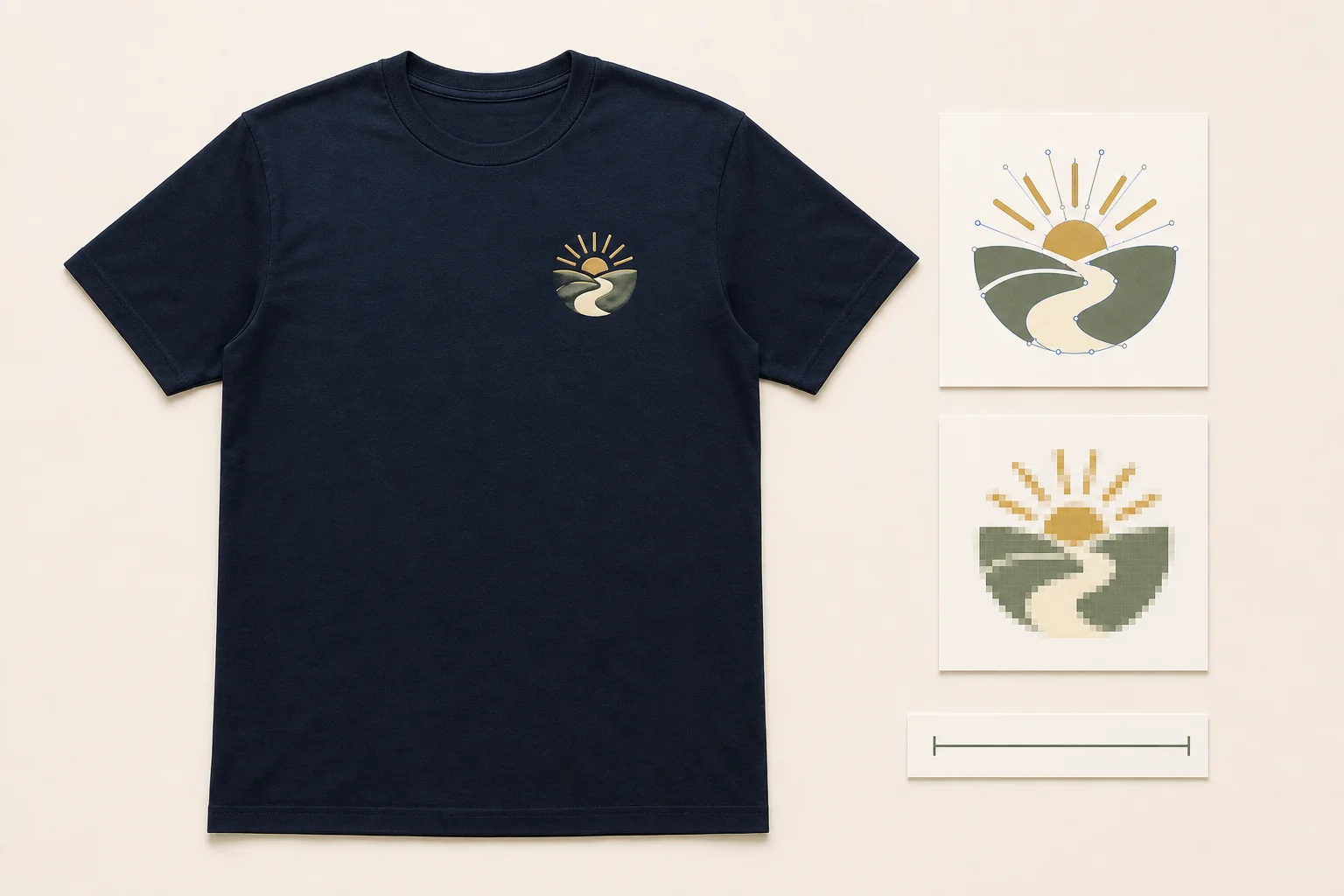
Putting a small JPG inside a PDF or SVG does not turn it into vector artwork. The wrapper changes, but the underlying image still has the same pixels.
Adobe’s current raster-and-vector guidance explains the underlying distinction: raster files contain a fixed pixel grid, while vector artwork remains resolution-independent. The extension alone is not proof, because formats such as PDF or SVG can still include raster content.
File format is only one input. If the decoration route is still open, use the embroidery-vs-printing logo guide or the two-question print-method chooser before preparing method-specific artwork.
How to tell whether AI, EPS, SVG, or PDF is really vector
The safest check is to ask the person who created the logo for the “original vector artwork with fonts outlined.” A printer or designer can also inspect whether the file contains editable paths.
Zooming in can reveal obvious pixelation, but it is not conclusive: some viewers smooth pixel images, and some vector files include raster effects. Also confirm that:
- Fonts are outlined or the font files are supplied.
- Linked artwork is embedded rather than missing.
- Gradients and transparencies suit the chosen print method.
- Official brand colors are listed as Pantone, CMYK, RGB, or hex values when color matching matters; the shirt-and-print color guide explains how to approve light and dark logo versions on the actual garment.
How to find the pixel dimensions of a PNG or JPG
- Mac: select the file in Finder and choose Get Info; look for Dimensions.
- Windows: right-click the file, choose Properties, then Details; look for Dimensions.
- Canva or another design app: check the export width in pixels before downloading.
File size in kilobytes is not a reliable quality test. A simple logo can compress into a small file, while a large but badly compressed image can be several megabytes. Pixel dimensions and intended print width give a much better first answer.
What to send Togethread
Upload the best original you have: AI, EPS, SVG, PDF, PSD, PNG, JPG, or WebP. The quote form accepts several artwork files up to 5 MB total. If the originals are larger, paste a Google Drive or Dropbox link in the design description.
Include the intended logo width and placement—for example, “10-inch-wide center back” or “3.5-inch left chest.” The logo size and placement guide gives practical starting ranges and the smallest-garment checks to request. If you only have a low-resolution copy, send it as a visual reference and say that the original is unavailable. Simple logos can often be redrawn cleanly before the mockup is prepared.
For a charity shirt with several sponsor marks, collect the best original for every sponsor and keep filenames tied to the approved organization names. The charity-shirt sponsor layout guide shows how to turn those files into one readable hierarchy instead of an unstructured logo wall.
Nothing prints until you review the mockup and approve the artwork.
FAQ
Is 300 DPI always required for a T-shirt logo? 300 PPI at final print size is a strong target for raster artwork, but it is not a universal pass-or-fail line. Some clean, simple designs may reproduce well at a lower effective resolution, while tiny text or detailed seals may need the full 300 PPI or vector artwork.
Can I change a 72 DPI logo to 300 DPI? Changing only the DPI metadata does not add detail. Check the actual pixel width and divide it by the intended print width. A 3,000-pixel image can provide 300 PPI at 10 inches wide regardless of a misleading metadata label.
Does saving a JPG as PDF or SVG make it vector? No. The JPG remains a pixel image inside a different container. It becomes truly scalable only when the artwork is rebuilt as vector paths rather than merely resaved.
Can a JPG logo be printed on a colored shirt? Yes, if it has enough resolution, but JPG does not support transparency. A designer may need to remove the background and clean compressed edges before placing it on a colored garment.
What if I only have a screenshot or website logo? Send it as a reference, then ask your school, company, club, designer, or marketing team for the original logo pack. If no better file exists, a simple logo can often be redrawn as vector before the mockup stage.